
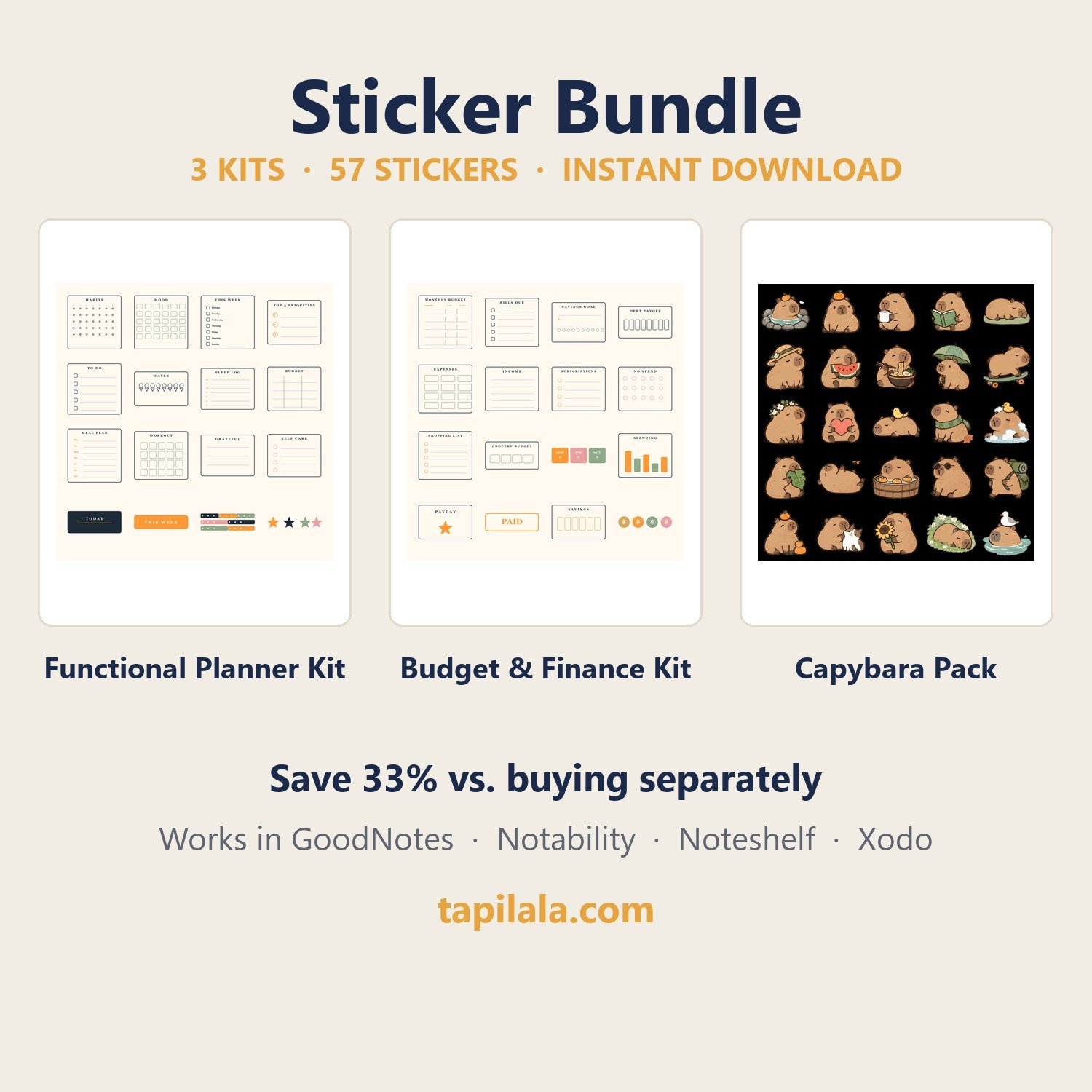
Three complete sticker kits in one download — save 33%.
Everything you need to plan, budget and decorate: functional planner stickers, a full finance kit, and 25 cozy capybaras. All in one matching cream & navy style.
What’s included (57 stickers in 3 kits)
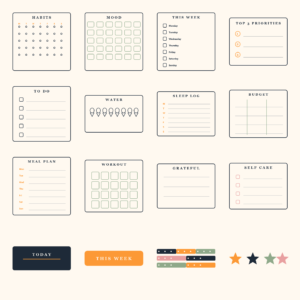
- Functional Planner Kit — 16 stickers: habit tracker, mood tracker, weekly checklist, top 3 priorities, to-do, water, sleep, budget, meal plan, workout, gratitude, self care, date cover, banner, washi, stars
- Budget & Finance Kit — 16 stickers: monthly budget, bills due, savings goal, debt payoff, expenses, income, subscriptions, no-spend, shopping list, grocery budget, envelope labels, spending chart, payday, paid stamp, savings tracker, coins
- Cute Capybara Pack — 25 stickers: hot spring, coffee, ramen, skateboard, watermelon, umbrella and more
- 3 combined sticker sheets + 3 how-to-use guides
Why you’ll love it
- Instant download — no shipping, no waiting
- Works in GoodNotes, Notability, Noteshelf, Xodo and OneNote
- Reuse the same stickers forever: buy once, stick forever
Personal use license. Reselling or redistributing the files is not permitted.
Three complete kits, one download, 33% cheaper.
Everything you need to plan, budget and decorate in one matching cream-and-navy style: functional planner stickers, a full finance kit and 25 cosy capybaras.
What’s included
- Functional Planner Kit – 16 stickers: habit and mood trackers, weekly checklist, top 3 priorities, to-do, water, sleep, budget, meal plan, workout, gratitude and more
- Budget & Finance Kit – 16 stickers: expense labels, savings goals, bill trackers and monthly budget headers
- Capybara Kit – 25 cosy capybara stickers
- All 57 stickers as individual transparent PNGs plus 3 combined sticker sheets
- An installation guide (PDF) for GoodNotes and Notability, delivered as one ZIP file
Works with
These stickers are transparent PNG files, so they work in any app that can import an image. Here is the import path for each one:
- GoodNotes 5 & 6 (iPad, iPhone, Mac) – open a notebook, tap the image tool, then Import from…
- Notability (iPad, iPhone, Mac) – tap the media button and select the sticker images
- Noteshelf (iPad & Android) – add images from your gallery onto a page
- Noteful, CollaNote, Defter Notes (iPad) – use the app’s image import button
- Xodo (iPad & Android) – insert images onto any PDF page
- iMessage, WhatsApp, Instagram, Telegram – send the PNGs as chat stickers
How to import them (about two minutes)
Prefer a walkthrough with screenshots? Read our guide to importing digital stickers into GoodNotes, Notability and iMessage.
- Download the ZIP file – the link is on your order confirmation page and in the email we send you.
- Unzip it in the Files app on iPad/iPhone, or on your computer.
- Open a notebook, tap the image or photo tool, and choose one or more stickers.
- Resize, rotate and reuse them as often as you like – they never lose quality.
Delivery & details
- Format: PNG with a transparent background, ready to layer on any page
- Reusable and resizable – no fixed size and no expiry date
- No watermark on your files (the previews on this page are watermarked to protect the artwork)
- Delivery: instant digital download – no physical product is shipped
T&Cs: licence & refunds
Licence: personal use plus small-business use on physical products – you may print the stickers on items you sell (planners, journals, cards, handmade goods). You may NOT resell, share or redistribute the digital files themselves, or offer them as a digital download or clipart set. Because this is a digital download, all sales are final – see our Refund Policy for the two exceptions (duplicate charges, and files that never arrive).
Frequently asked questions
What is inside the sticker bundle?
Three kits totalling 57 stickers: the Functional Planner Kit (16), the Budget and Finance Kit (16) and 25 capybara stickers, plus a combined sheet for each kit.
What apps can I use these digital stickers with?
GoodNotes 5 and 6, Notability, Noteshelf, Noteful, CollaNote, Defter Notes and Xodo, plus any app that can import PNG images. The same files also work as iMessage, WhatsApp, Instagram and Telegram stickers.
Do digital stickers work on iPhone or Mac?
Yes. GoodNotes and Notability run on iPhone, iPad and Mac, and you import the PNG files the same way. On a computer you can also place them in Canva, Word or any image editor.
How do I download my stickers after purchase?
The download link appears on your order confirmation page straight after checkout, and we also email it to you. If it does not arrive, email hello@tapilala.com and we will resend it.
How many times can I use the stickers?
Unlimited times on unlimited pages, for your own personal projects.
Can I resize or recolour the stickers?
Yes – they are high-resolution PNGs with transparent backgrounds, so you can scale them up or down in your app without losing sharpness.
Can I use the stickers for commercial projects?
No. The licence covers personal use only, so the files may not be resold, shared or redistributed.
Reviews
There are no reviews yet.